
What is new in Talos Omni 1.14
Talos Omni 1.14 shows the current step of each machine during an install or upgrade. Self-hosted Omni can now deliver your private CA to machines from first boot, and the disks page adds RAID, LVM and multipath layouts, hardware details and volume failures.

November 24, 2026
2 min read
Talos Omni 1.14 is out. Omni manages the lifecycle of Talos Linux Kubernetes clusters, as SaaS or self-hosted. This release adds per-machine upgrade progress, private certificate authorities from first boot, and more detail on the disks page.
See where every machine is during an upgrade
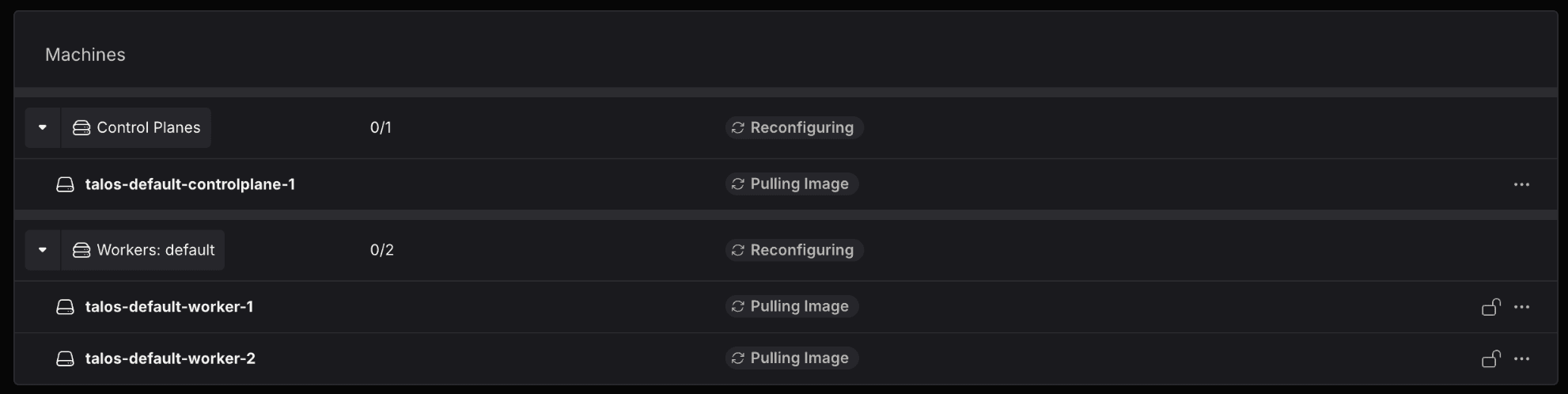
Until now, a machine in the middle of an upgrade mostly showed that it was upgrading. When an upgrade rolls across a fleet, you want to know which node is at which step.
Omni 1.14 tracks the install and upgrade operations it runs on machines with Talos 1.13 and later. For each machine, you see the active stage, such as draining or rebooting, and the latest progress message. Omni shows it in omnictl cluster status, the cluster machine list, the machine overview page and the machines page.
Private certificate authorities from first boot
Many self-hosted and air-gapped setups run Omni, or the image factory, with certificates signed by an internal CA. That CA has to reach every machine, and until now, it meant adding it to machine configs by hand.
On self-hosted Omni, 1.14 delivers it for you. Point Omni at a PEM bundle with --trusted-roots-file (trustedRootsFile in the config file). Omni adds your CAs as a TrustedRootsConfig document to installation media and install images for Talos 1.12 and later, infrastructure provider join configs, omnictl jointoken machine-config, maintenance configs and cluster machine configs.
Disk health and layout in the Omni UI
For bare-metal operators, the disks page now shows more for each machine:
- Disk topology for MD arrays (software RAID), LVM and multipath devices, grouped into physical and virtual devices.
- Hardware details: serial number, firmware version, SSD or HDD.
- Disk space usage.
- Volume status and failures.
- Health for MD arrays and LVM logical volumes.
Machines on Talos 1.15 will also show SMART health when disk health monitoring is turned on.
Also in this release: audit logs can now be filtered and ordered by client IP address, in the UI and in omnictl, so a security team can see where an action came from.
Availability
Self-hosted Omni 1.14 is available now. Read the Urgent Upgrade Notes in the release notes before you upgrade. Omni SaaS rolls out in stages over about two weeks, smallest plans first and Enterprise last.
Full release notes: https://github.com/siderolabs/omni/releases/tag/v1.14.0
New to Talos Omni? Start a trial: https://www.siderolabs.com/omni-signup

 Justin Garrison


 Amarachi Iheanacho